Included below is a sample tape created using ReliaSim that we will use to demonstrate and test out Wishbone. It is a simple tape with 4 interrupts on a single constraint that was simulated for 1000 hours.
After opening Wishbone and selecting this file, you must specify 3 pieces of information:
- Which column represents the start time of an event?
- Which column represents the downtime? This would be downtime duration, if using duration or end time of an event, if using end time.
- Which additional columns would you like to include? These will be useful for establishing cause groups.
For our example, the settings will look like this:
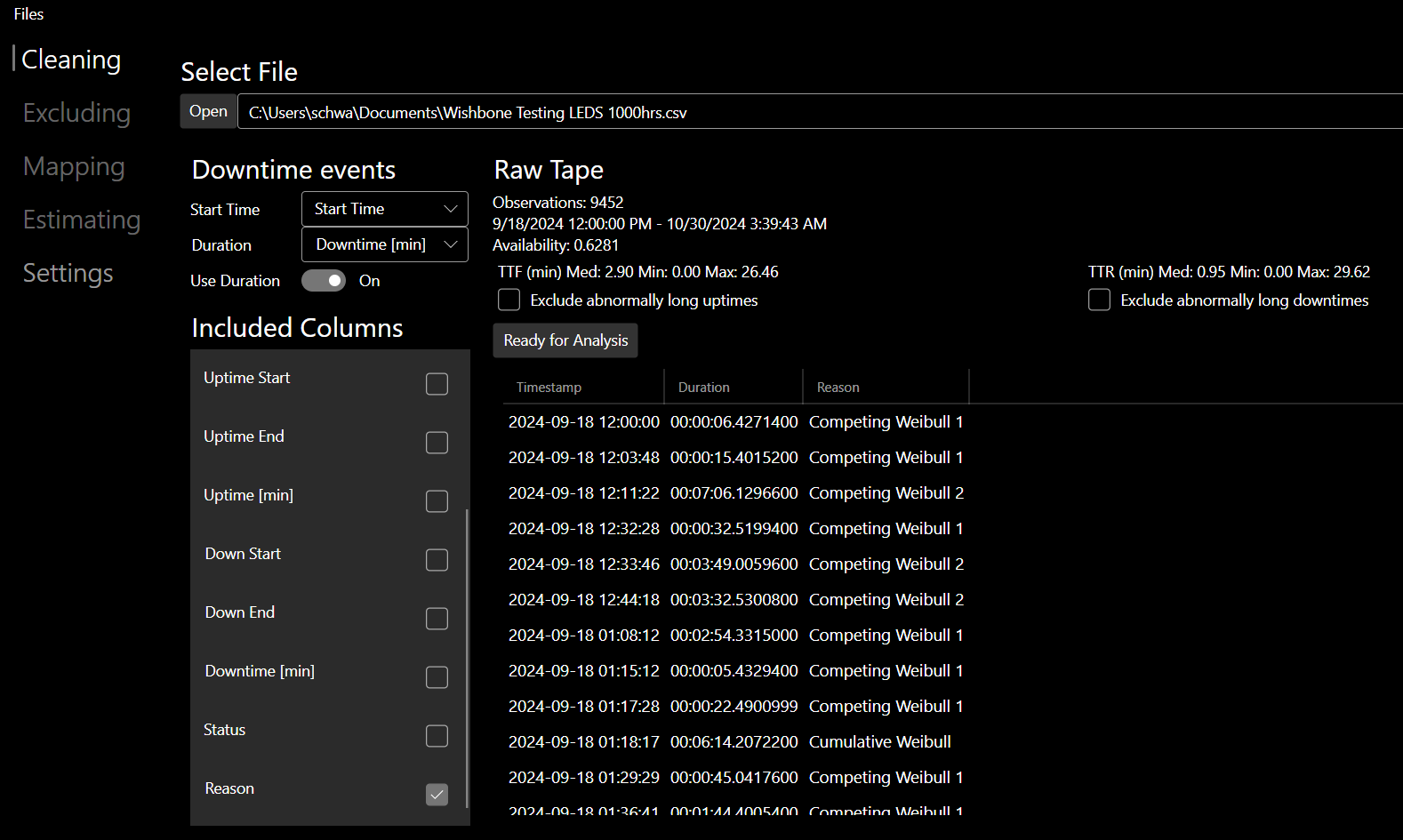
File Load Settings
Once you have selected the relevant columns, click the "Ready for Analysis" button to unlock the Excluding and Mapping tabs.